
Experience the magic of Android on your PC
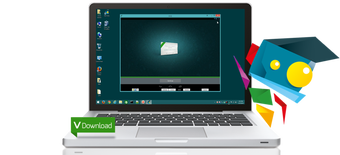
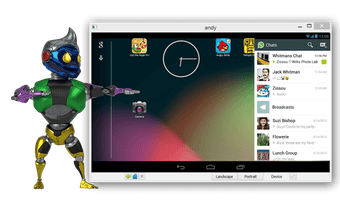
Andy is a free utility tool that allows you to effortlessly and seamlessly run an Android system on your desktop. This android emulator has the capability to mimic the complete Android experience on your computer. Through this program, you will be able to download, install, and use hundreds of thousands of apps on your Windows PC that are only exclusively accessible on Android. It doesn't even require you to set up a virtual machine or go through a certain complicated setup process.
Top Recommended Alternative
Is Andy better than Bluestacks?
Unlike BlueStacks, which is merely a launcher for Android applications, Andy gives you complete access to Google's OS. You can download and install apps and games through Google Play, or side-load APKs and run them through this android OS software. This is particularly useful for utilizing messaging apps like WhatsApp, Viber, or LINE from your desktop.
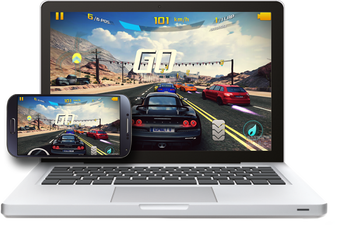
This handy utility also supports notifications, widgets, file browsing including access to the local file system, application data syncing, and full multi-touch gestures. Andy is great for mobile gaming, as well, since it lets you use your phone or tablet as a remote control for the desktop emulator. This will be useful for playing certain types of action games or racing games.
How do I start Andy?
This emulator program isn't quite as simple to use as BlueStacks, because it needs a little bit more setup. That said, it's still very easy. Andy runs through VirtualBox virtual machine, which comes bundled with the installer. Once you've downloaded and installed the software, you simply run the application and go through the Android configuration options as you would on a first-run of a regular mobile device. You can possibly experience some occasional glitch when running the application, although in general, it works pretty smoothly.
It is greatly recommended for 'power users' because it can be customized in a number of ways. For starters, you can change the way it runs in the virtual machine, allocating more RAM, for instance, to make it run faster. But you can also root the Android OS through it, allowing you more customization within the OS itself. If you want to you can install custom ROMs or change to a different launcher.
The best way to get Android on your desktop
Andy is pretty simple to set up, highly customizable and gives you a complete Android experience. Although if you just want to play popular casual games or run simple apps, BlueStacks is a more hassle-free solution. However, if you want to properly emulate Android on Windows, this is the best option.